Beat the ATS: 5 Simple Steps to Optimize Your Resume & Get Hired
Applicant Tracking Systems (ATS) often filter out qualified candidates before a human ever sees their resume. Don't let your perfect application disappear into the digital abyss. Discover the 5 essential strategies to make your resume ATS-friendly and ensure it stands out to recruiters.
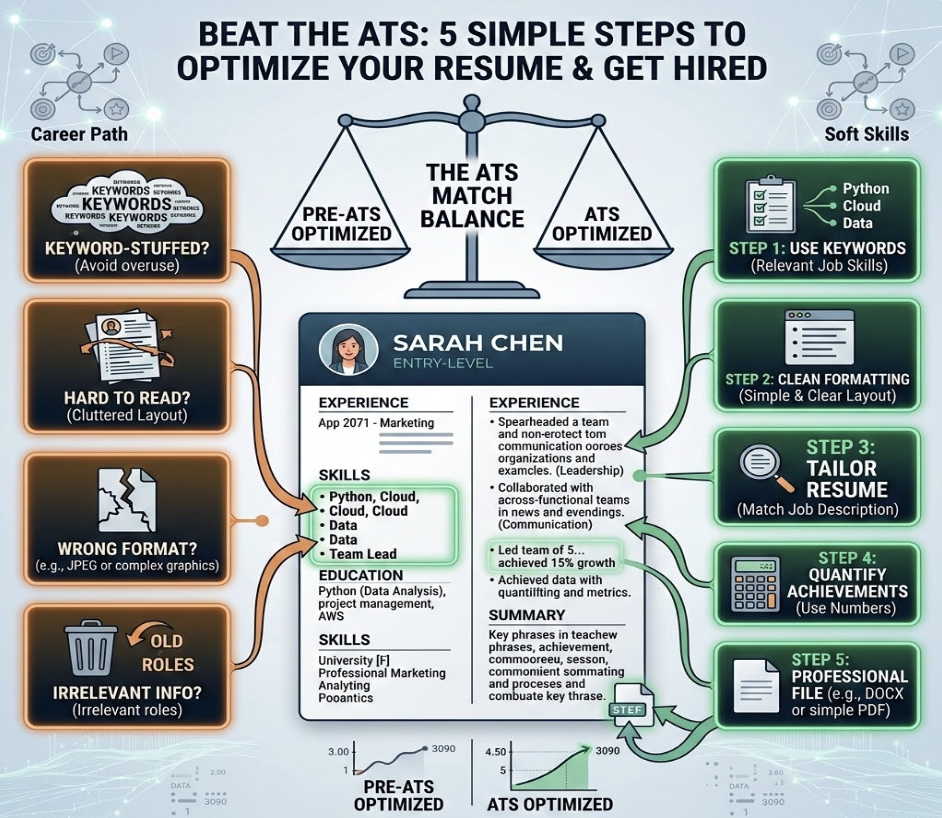
Feeling like your resume is disappearing into a black hole? You’re not alone. You spend hours crafting the perfect resume, hit "submit," and then... silence. The culprit is often an Applicant Tracking System (ATS), the gatekeeping software used by over 98% of Fortune 500 companies to screen candidates. But don’t worry—this gatekeeper isn't invincible. With the right strategy, you can turn the ATS into your biggest ally.

Understanding the ATS: Your First Hurdle to a New Job
Before you can beat the ATS, you need to understand what it is and what it does. Think of an Applicant Tracking System as a digital librarian for recruiters. When a company receives hundreds—or even thousands—of applications for a single role, it's impossible for a human to review every single one. The ATS steps in to automate this initial screening process. It parses your resume for specific information, sorts it into categories, and ranks it against the job description.
The system's primary goal is to find the most qualified candidates by matching the content of your resume to the keywords and criteria set by the hiring manager. If your resume doesn't contain the right keywords, use a compatible format, or clearly present your qualifications, it might get filtered out before a human ever sees it. Your first job isn't to impress the recruiter; it's to get past the robot. This is why understanding how to create an ATS-friendly resume is no longer optional—it's the critical first step in a modern job search.
Step 1: Keyword Optimization – Speaking the ATS Language
The single most important factor in passing the ATS scan is keyword alignment. The ATS is programmed to search for specific words and phrases from the job description to determine if you're a good match. If your resume doesn't "speak the same language" as the job post, the system will assume you lack the required qualifications.
To optimize your resume, you need to become a keyword detective. Carefully read the job description and identify the key skills, responsibilities, and qualifications the employer is looking for. These are your target keywords.
How to Find and Use Keywords:
- Hard Skills: These are specific, teachable abilities. Look for software (e.g., "Salesforce," "Adobe Creative Suite"), technical skills (e.g., "Python," "SEO/SEM"), and industry-specific knowledge (e.g., "GAAP," "Agile methodology").
- Soft Skills: These are interpersonal attributes. Look for terms like "team leadership," "communication," "problem-solving," and "project management."
- Job Titles & Jargon: Note the exact job title and any industry-specific acronyms or phrases used in the description.
- Qualifications: Pay attention to required degrees, certifications ("PMP," "CPA"), and years of experience.
Once you have your list, strategically weave these keywords throughout your resume. The most important places to include them are in your professional summary, a dedicated "Skills" or "Core Competencies" section, and within the bullet points of your work experience. Don't just stuff them in; integrate them naturally to describe your accomplishments. For example, instead of saying "Responsible for marketing," you could say, "Managed a digital marketing team to execute successful SEO/SEM campaigns, resulting in a 40% increase in organic traffic."
Feeling overwhelmed trying to find all the right keywords? The Missing Skills AI feature within the JobFix AI platform at https://www.jobfix.ai/ can instantly scan a job description and your resume to show you exactly which critical skills you're missing.
Step 2: Choosing the Right Format & Layout
Creativity can be a huge asset, but not when it comes to your resume's format. Complex designs that look great to the human eye can completely confuse an ATS. The software reads your resume from top to bottom, left to right, and can't interpret information stored in tables, text boxes, or columns. A cluttered or unconventional layout is one of the fastest ways to get your application rejected.
To ensure the ATS can parse your information correctly, stick to a clean, simple, and professional format. A standard reverse-chronological format (listing your most recent experience first) is the most universally accepted and ATS-friendly option.
ATS-Friendly Formatting: Do's and Don'ts
- DO use standard section headings like "Work Experience," "Education," "Skills," and "Professional Summary." The ATS is specifically programmed to look for these titles.
- DON'T use tables, columns, or text boxes. These can cause the parser to jumble your information or miss it entirely. Keep everything in a single, linear flow.
- DO use standard, simple bullet points (solid circles or squares). Avoid overly ornate symbols like arrows or checkmarks.
- DON'T put important information in the header or footer of the document. Many ATS programs are designed to ignore these sections completely.
- DO choose a clean, readable font like Arial, Calibri, Helvetica, or Times New Roman in a size between 10-12 points.
- DON'T include images, charts, or graphics. These are invisible to the ATS and just take up valuable space.
The goal is to make your resume as easy as possible for the software to read and understand. Simplicity is key.

Step 3: The Power of ATS-Friendly File Types
You've optimized your keywords and perfected your format, but one final technical detail can make or break your application: the file type. The two most common resume file types are Microsoft Word (.doc or .docx) and PDF (.pdf). For years, career experts advised against PDFs because older ATS versions struggled to parse them correctly.
However, technology has evolved. Most modern Applicant Tracking Systems can now handle PDFs without any issues, and PDFs have the benefit of preserving your formatting perfectly across all devices. So, which should you choose? The answer is simple: read the instructions. The job application will almost always specify the preferred file type. If it says "submit your resume in .docx format," do exactly that. Ignoring this instruction shows a lack of attention to detail and could lead to an automatic rejection if their system is configured for a specific file type.
If the application doesn't specify a format, a .docx file is often the safest bet, as it provides the highest parsing compatibility across the widest range of ATS platforms, both new and old. A PDF is a close second and is perfectly fine for most major companies. The one file type to avoid is anything unconventional like a .jpg or .pages file, which are almost universally unreadable by these systems.
Step 4: Tailoring Your Resume for Each Application
The era of the one-size-fits-all resume is over. Sending the same generic document to dozens of different companies is one of the most common job search mistakes. To beat the ATS, you must tailor your resume for every single job you apply for. Remember, the system is ranking you based on your direct relevance to a specific role, not your general qualifications.
Tailoring doesn't mean you have to rewrite your entire resume from scratch each time. Instead, focus on making strategic edits to align it with the job description. Start with a "master resume" that includes all your skills, experiences, and accomplishments. Then, for each application, create a copy and customize it.
Key Areas to Tailor:
- Professional Summary/Objective: Rewrite your opening statement to directly reflect the company's needs and the key requirements of the role.
- Skills Section: Reorder your skills to put the most relevant ones at the top. Swap out less relevant skills for keywords you identified in the job description.
- Work Experience: Adjust your bullet points to highlight the achievements that are most relevant to the new role. Use the keywords you found in Step 1 to describe your accomplishments. For example, if the job requires "data analysis," make sure your bullet points explicitly mention how you used data analysis to achieve results.
This might sound like a lot of work, but it's the difference between getting an interview and getting ignored. To make this process seamless, consider using a tool like the dynamic resume builder from JobFix AI. It allows you to create and manage multiple versions of your resume, making it incredibly fast and easy to tailor your application for any role without starting from scratch.
Step 5: Double-Checking & Testing Your ATS Readiness
Before you hit that final "submit" button, you need to be confident that your resume is ready to pass the ATS scan. A few simple checks can save you from an avoidable rejection. First, do a simple "plain text test." Copy the entire content of your resume and paste it into a basic text editor like Notepad (Windows) or TextEdit (Mac).
Does the text appear in a logical order? Are your section headings clear? Are there any strange characters or jumbled sections? If the plain text version is a mess, it’s a red flag that an ATS will struggle to parse it correctly. Go back and simplify your formatting until the plain text output is clean and readable.
For the ultimate peace of mind, the best way to know if you'll beat the ATS is to test your resume against one. This is where technology can give you a massive competitive edge. Instead of guessing, use the ATS score checker on JobFix AI at https://www.jobfix.ai/. Simply upload your resume and paste the job description, and our AI will give you an instant match score, show you exactly which keywords you're missing, and provide actionable feedback to improve your chances of getting noticed. It's like having a sneak peek at the recruiter's screening tool before you even apply.
Beyond the ATS: Making Your Resume Shine for Recruiters
Passing the ATS is a critical first step, but it's not the final goal. Your ultimate objective is to impress the human recruiter or hiring manager who will read your resume after it's been approved by the software. A resume that is only optimized for keywords can come across as robotic and uninspired.
Once your resume has the right keywords and format, read it over from a human perspective. Does it tell a compelling story about your career? Does it showcase your unique value? Make sure to:
- Use Strong Action Verbs: Start your bullet points with powerful verbs like "Orchestrated," "Accelerated," "Negotiated," and "Implemented" instead of passive phrases like "Responsible for."
- Quantify Your Achievements: Numbers speak louder than words. Instead of saying "Improved team efficiency," say "Implemented a new workflow that improved team efficiency by 25%."
- Tell a Story: Your resume should paint a clear picture of your career progression and your impact in each role. Ensure it flows logically and highlights a consistent pattern of success.
- Proofread Meticulously: Typos and grammatical errors are a major red flag for recruiters. Read your resume multiple times, and consider having a friend look it over as well.
Remember, the best resumes are written for both the robot and the human. Combine technical ATS optimization with compelling, achievement-oriented storytelling to create a document that excels at every stage of the hiring process. You can also complement your resume with a powerful, tailored cover letter. The AI cover letter generator from JobFix AI can help you craft a perfect, personalized letter in seconds, further strengthening your application.
Conclusion: Take Control of Your Job Search
Navigating the world of Applicant Tracking Systems can feel daunting, but it doesn't have to be a mystery. By understanding how the system works and following these five simple steps—optimizing keywords, using a clean format, choosing the right file type, tailoring each application, and testing your final document—you can significantly increase your chances of landing in the "interview" pile.
Stop sending your resume into the void. It’s time to take control of your job search with a data-driven strategy that gets results.
Ready to build a resume that beats the bots and wows recruiters? Head over to https://www.jobfix.ai/ and use our powerful suite of AI tools to check your ATS score, find missing skills, and build a winning resume today. Your next job is waiting.
Keep reading
ATS Resume Keywords Checklist: Match Your Resume to Any Job Description
Use this actionable ATS resume keywords checklist to match your resume to any job description. Stop getting filtered out and start landing interviews.
How to Improve Your ATS Resume Score Before Applying
Learn how to improve your ATS resume score with keyword optimization, better formatting, and resume strategies that increase interview chances.
Resume Keywords: How to Find and Add Keywords That Get You Noticed
Learn how to find and add resume keywords that improve ATS compatibility, match job descriptions, and increase your chances of getting interviews.
Land more interviews.
Build a tailored, ATS-optimized resume that gets past filters and impresses hiring managers.
Try JobFix.ai free